SpendQun
Track spending from your bank SMS, privately on your phone. No sign-up, no ads, no bank login. Your SMS never leave your phone.

How it works
Your bank sends you an SMS for every payment. SpendQun reads these SMS and sorts each payment by shop, category, bank and card. Everything happens on your phone. It works with any bank that sends SMS alerts, and keeps each currency separate.
1. Allow SMS access
SpendQun only reads messages. It never sends, deletes or changes them.
2. The app sorts your payments
In a few seconds, your bank SMS become one list of payments, sorted into categories like food, shopping and bills.
3. See your spending and ask questions
Check how much you spent this month, open the reports, or type a question.
Inside the app
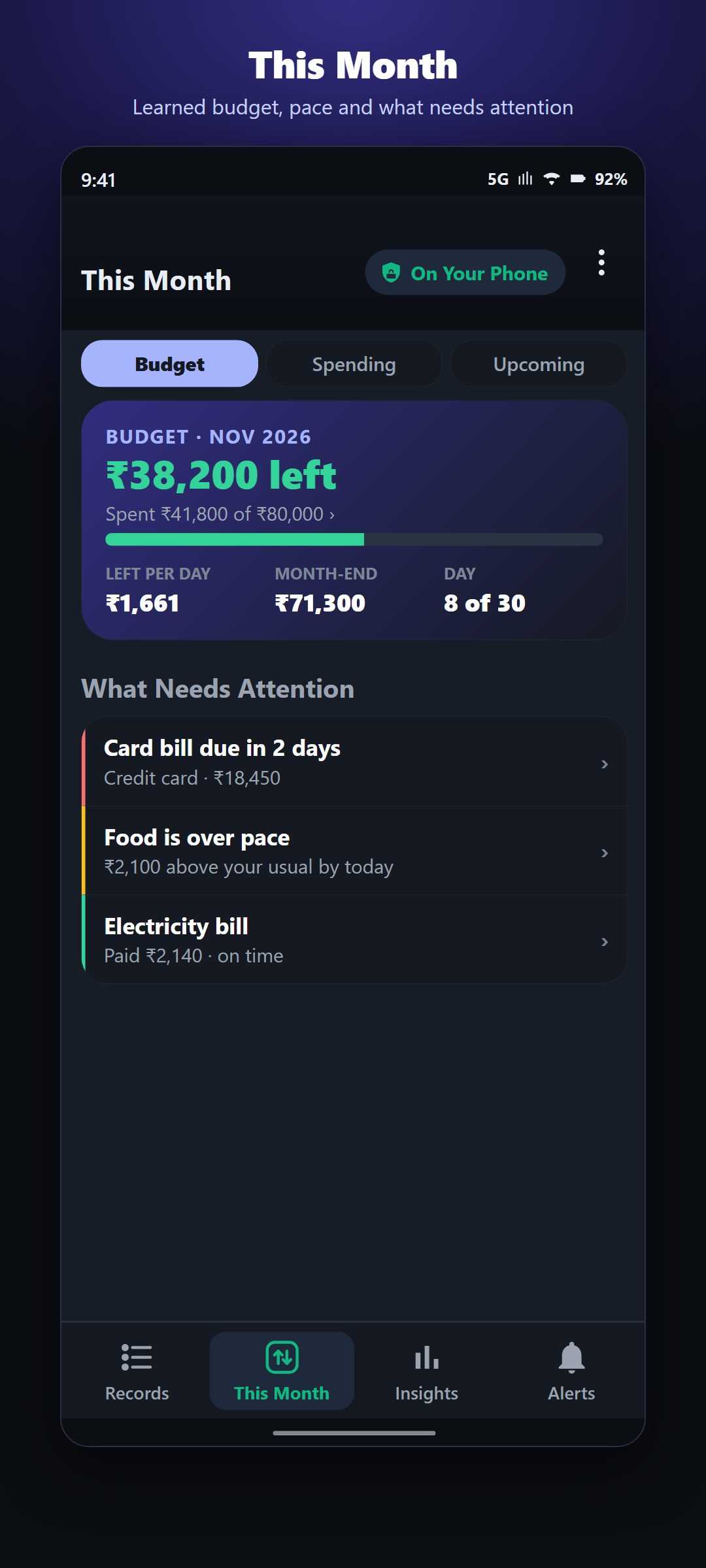
This Month screen
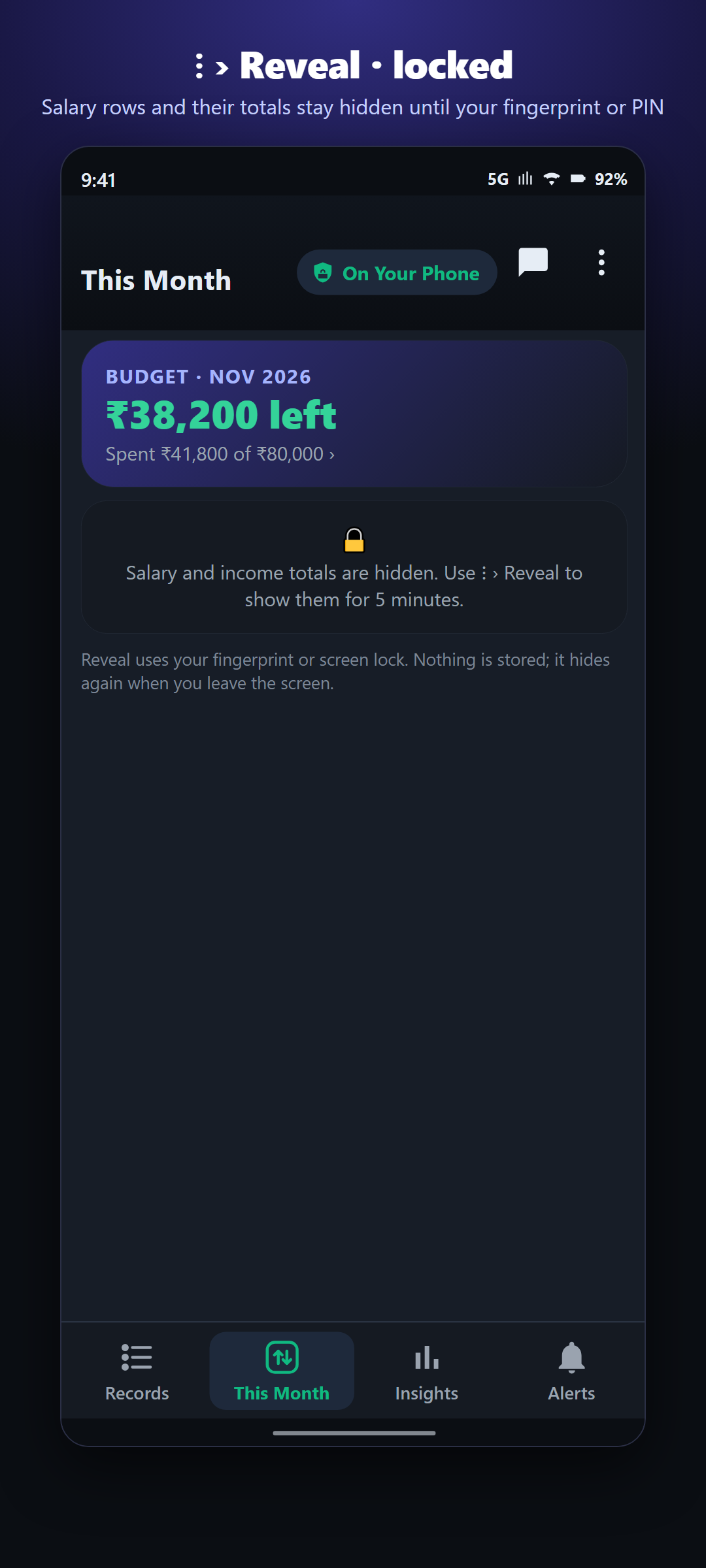
Your monthly budget (worked out from your last three months), how much you can still spend each day, whether you are on track, and the bills and credit card dues still to pay this month.
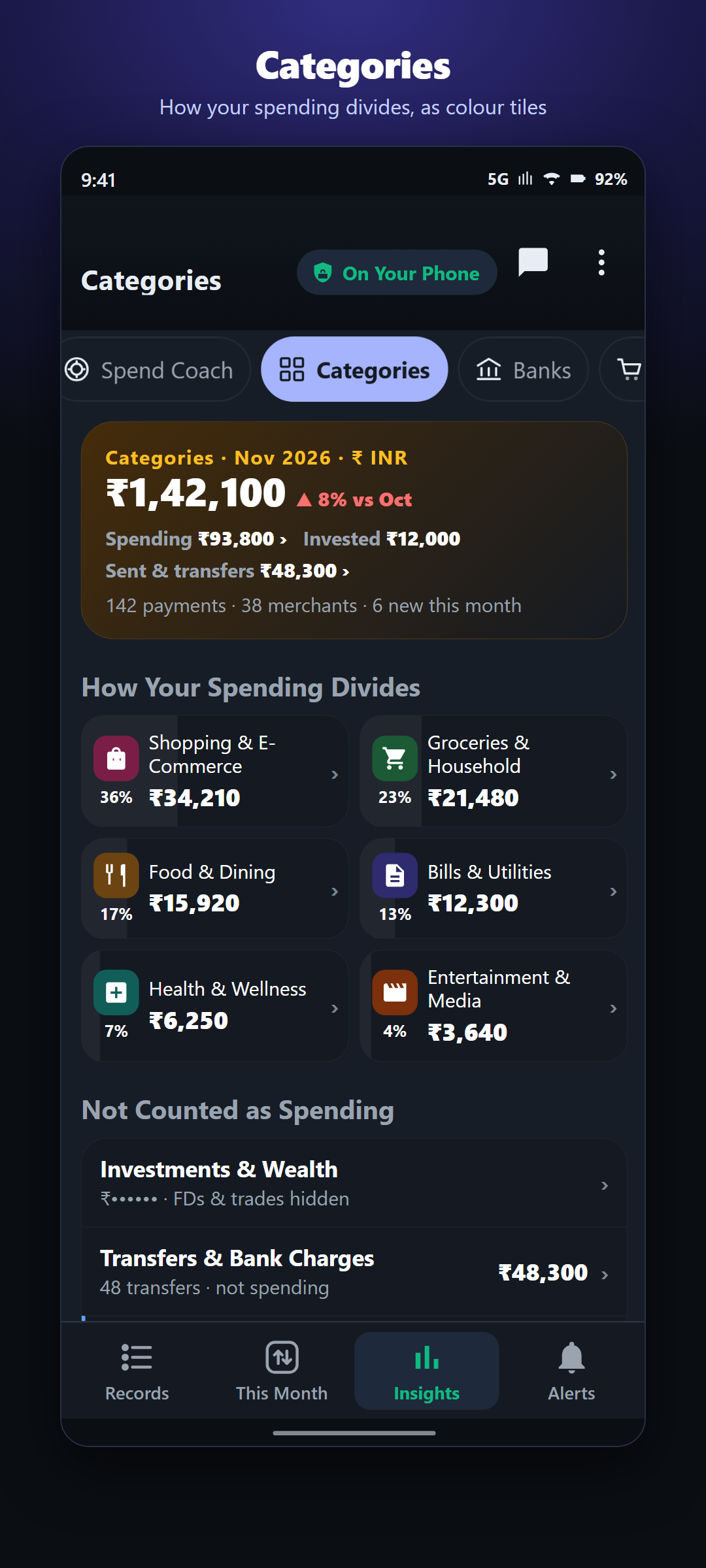
Insights screen (reports)
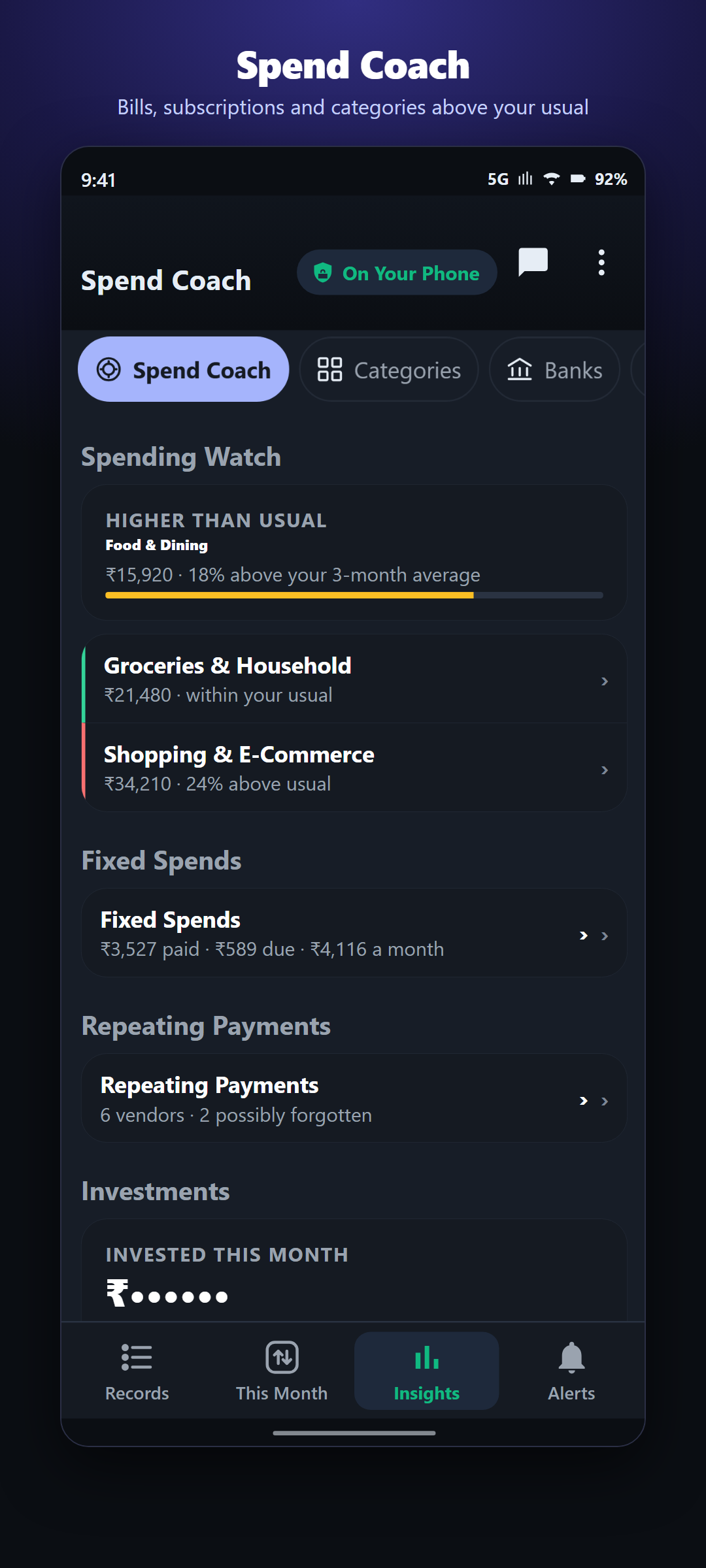
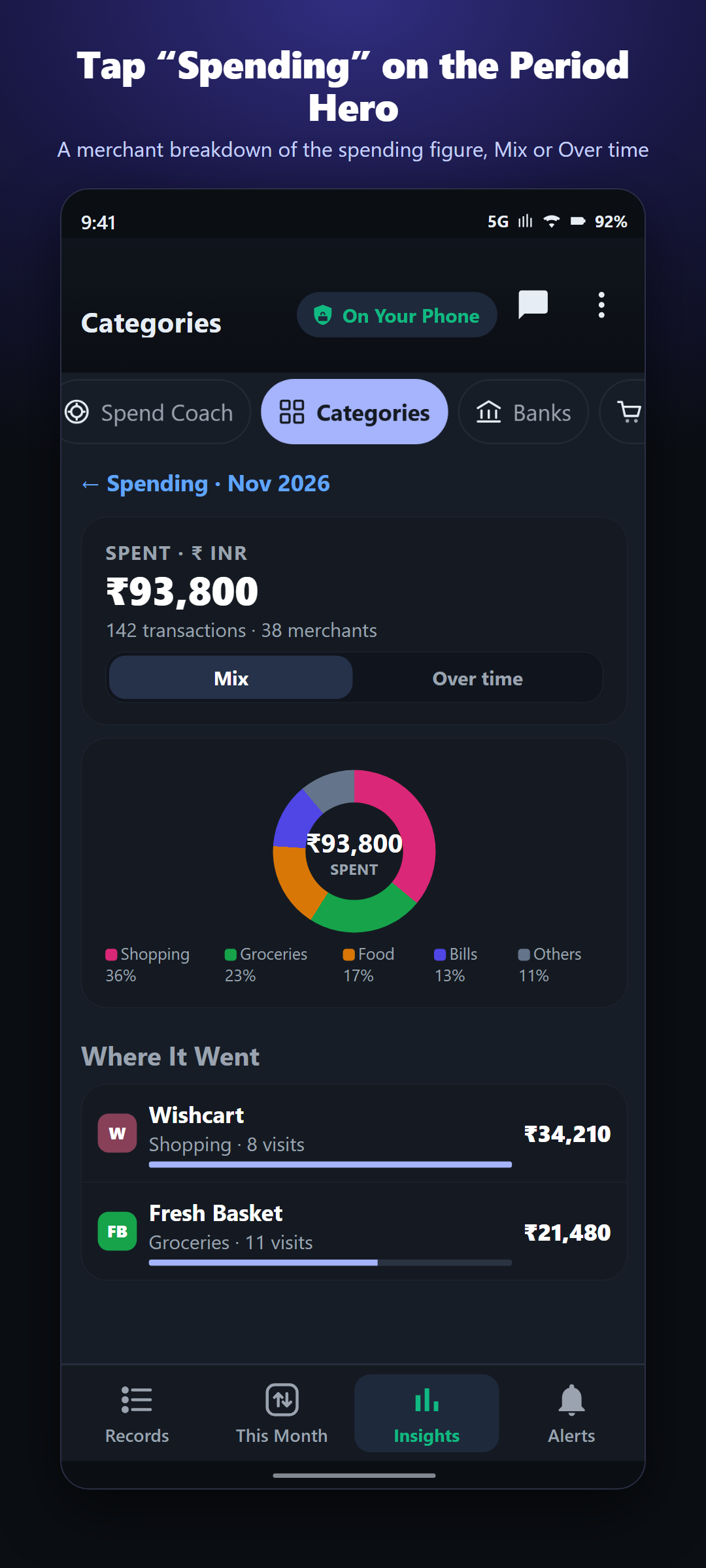
How much you spent by category, bank and shop, how much money came in and went out, and how this month compares with past months. The Spend Coach tab shows where you are spending more than you usually do. Tap any amount to see the list of payments behind it.
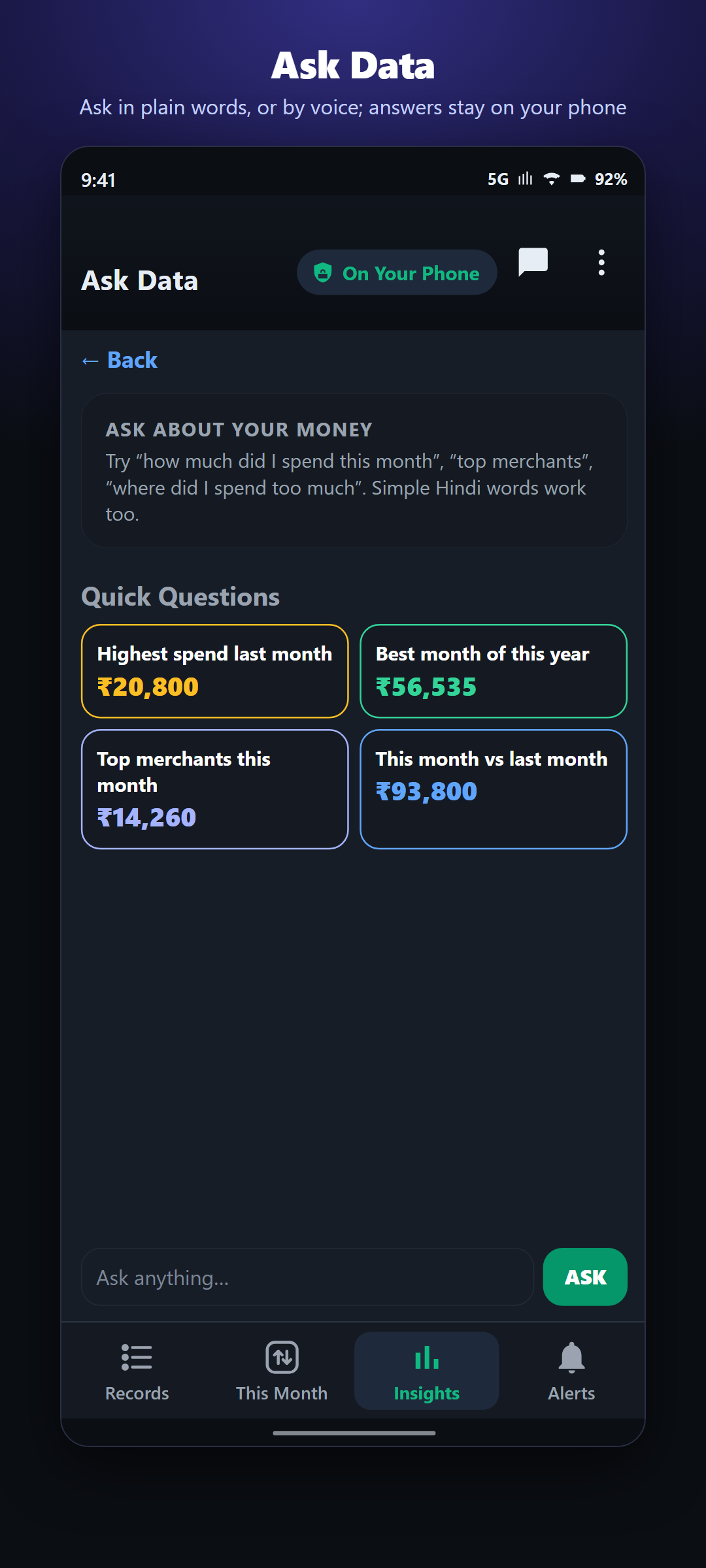
Ask Data screen (questions)
Type or speak a question, for example "How much did I spend this month?", "Highest spend this year" or "Kal kitna kharcha?". The app works out the answer on your phone; no internet is needed.
Alerts screen (reminders)
Reminders for bills that are overdue, credit card payments due this week, and subscriptions that will renew soon. After you pay a bill, mark it as paid with one tap.
All money going out, in one place
Shopping, money sent to people, cash withdrawals, EMIs and bank charges, side by side. Money moved between your own accounts is shown separately, not as spending.
Your privacy
Amounts the app recognises as salary or investments are hidden until you unlock them with your fingerprint or PIN. Salary is recognised from the SMS wording or after a few months of regular pay, so after a job change or on a new phone it may be shown at first. You can also save all your payments to an Excel file on your phone at any time.
A look at the screens
These screens use made-up demo data.
Free and Premium
Your list of payments is always free. The This Month budget, Insights reports, Alerts reminders and Excel export need Premium (paid). New users may get a free trial. You can pay every month, every year, or once for lifetime use. You can cancel any time from Google Play.
Good to know
- Works on Android phones with Android 10 or newer. Not available for iPhone.
- SpendQun needs permission to read your SMS. It only uses SMS from banks and payment apps about payments, and ignores all other messages.
- Every bank writes its SMS differently, so sometimes a payment may go in the wrong category. Tap it, then Edit, to fix it.
- The app uses internet only to check your Google Play purchase.
- SpendQun helps you track money. It does not give financial advice.